Forms in OSITE – Contact, Feedback, Newsletter, Booking & Custom Forms
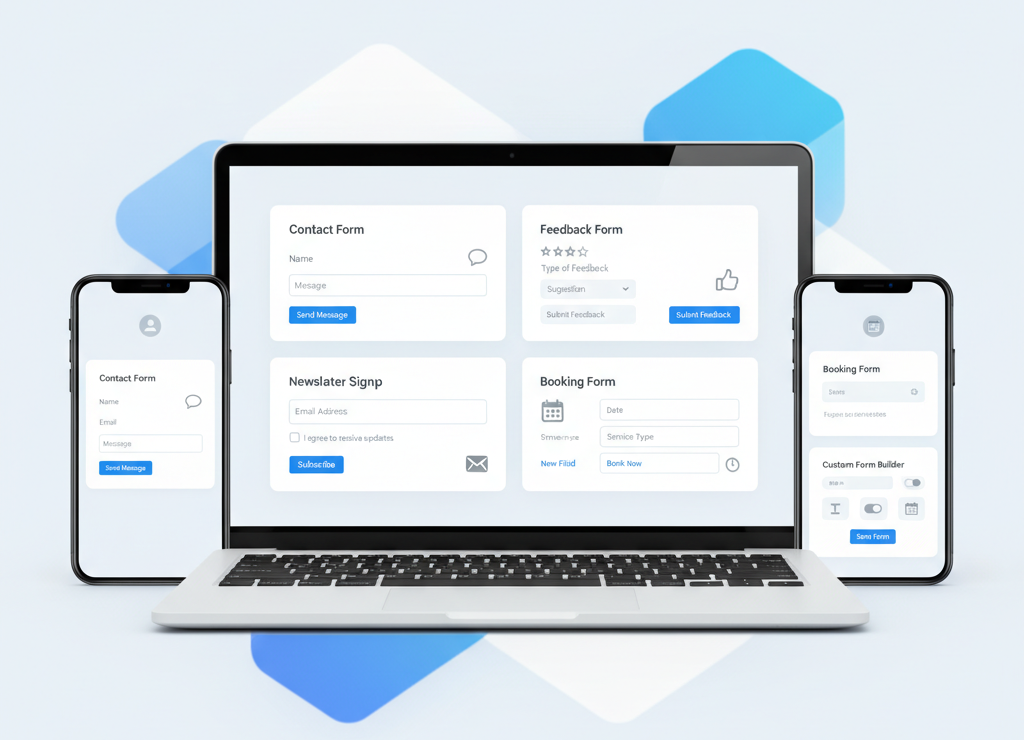
Forms sit quietly at the center of almost every useful website. They are the moment where a visitor stops scrolling and decides to interact. A message is sent, feedback is shared, an email address is captured, a time slot is booked, or a custom request is submitted. Without forms, a website is mostly a brochure. With forms, it becomes a working system.
This is why forms are treated as a core functional extension rather than a simple design element. They connect people to processes, websites to data, and user actions to real outcomes.
Why forms are foundational
Every serious online interaction eventually becomes a form, even if it does not look like one at first glance. Asking a visitor to “contact us” is really asking them to submit a structured set of information. A newsletter signup is a form that feeds an email system. A booking flow is a form connected to time, availability, and confirmation logic.
Forms are where trust is tested. A poorly designed form creates friction and abandonment. A clear, simple form builds confidence and moves users forward. Because of this, forms are not handled as static page content; they are treated as live data channels that must be reliable, secure, and flexible.
Types of forms you can create
Over time, a few form patterns have proven themselves across almost every industry. These patterns are supported out of the box and can also be extended or customized.
Contact forms are the most common. They usually collect a name, email address, subject, and message. Behind the scenes, this data is stored and can trigger notifications, workflows, or follow?ups. Contact forms are often the first trust bridge between a business and its audience.
Feedback forms go a step further. Instead of open?ended messages, they often include ratings, checkboxes, or short structured answers. Feedback forms are useful for measuring satisfaction, gathering ideas, or improving products and services. They turn opinions into data that can be analyzed.
Newsletter subscription forms focus on one goal: permission. Typically, they collect an email address and sometimes a name or interest category. The value here is not the form itself, but what happens after submission—adding the subscriber to a mailing list, tagging them, or starting an automated email sequence.
Booking forms combine data collection with time?based logic. A user submits their details along with a preferred date, time, or service. This type of form is commonly used for consultations, events, appointments, or reservations. It often integrates with calendars, confirmations, and reminders.
Custom forms cover everything else. Job applications, surveys, order requests, onboarding questionnaires, internal tools—these are all variations of custom forms. The structure is fully flexible, allowing different field types, validation rules, and submission behaviors.
Creating forms inside Omnistack (OS)
Forms are defined and managed centrally inside Omnistack. This separation is intentional. The website focuses on presentation and user experience, while Omnistack handles structure, data storage, validation, and logic.
Inside Omnistack, you define a form by choosing its fields, setting required rules, and deciding what should happen when the form is submitted. This might include saving data to the database, triggering notifications, or exposing the form through an API endpoint.
Once a form is created, it becomes reusable. The same form can power multiple pages, different websites, or even external applications without being recreated.
Two ways to integrate forms into your site
After creating a form, the next step is making it available on your website. There are two supported integration approaches, depending on how much control or simplicity you want.
The first method is manual embed using code. Omnistack provides an embed snippet that can be pasted directly into a page or template. This approach is useful when you want full control over placement, styling, or when you are working deeply within custom layouts.
The second method is using the Form Plugin. This option removes the need to touch embed code directly. You select the form, drop it into the page, and the plugin handles rendering, submission, and communication with Omnistack. This is the recommended path for beginners and for rapid page building.
Both methods connect to the same backend form definition, so switching between them does not affect your data or logic.
Managing submitted form data
Every form submission becomes a data record. This data can be viewed, filtered, and exported from Omnistack. Depending on the form type, submissions may represent leads, feedback entries, subscribers, or bookings.
Because form data is centralized, it can be reused across tools. A contact submission can become a CRM lead. A booking submission can feed a calendar or workflow. A newsletter signup can flow into an email system. The form is simply the entry point.
Validation and spam control
Good forms guide users and protect systems at the same time. Validation ensures that required fields are filled correctly—emails look like emails, numbers are numbers, and empty submissions are rejected.
Spam control adds another layer of protection. Techniques like rate limiting, field validation rules, and server?side checks reduce automated or malicious submissions. These controls are handled at the backend level so that frontend changes do not weaken security.
UI versus API responsibilities
A clear separation of responsibility keeps the system maintainable. The user interface is responsible for layout, styling, and basic user interaction. It decides how the form looks and feels.
The API handles everything else: accepting submissions, validating data, storing records, and triggering actions. This makes forms reliable regardless of where they are used—on a public website, a dashboard, or an external app.
When UI and API each do their job, forms remain flexible, scalable, and easy to extend as requirements grow.
Forms may look simple, but they are the backbone of real interaction. Once they are understood as systems rather than widgets, they become one of the most powerful building blocks available.